
Pocket Option Demo Account: Practice Without Risks
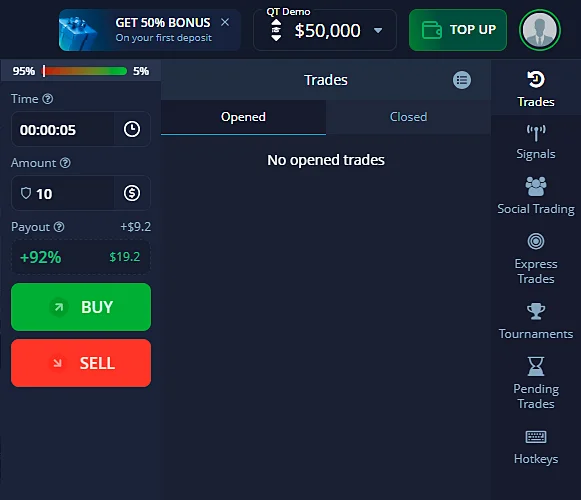
If you’re new to trading, the Pocket Option demo account is the perfect way to start. Get $50,000 in virtual funds, explore over 50 assets, and practice in real-time market conditions — all without risking your money.
*Risk warning: The services involve significant risk and can result in the loss of your invested capital.

Why Use a Demo Account?
For Beginners:
- Learn the Basics: Understand how trading works with no pressure or financial risk.
- Explore the Platform: Get used to the Pocket Option interface and tools.
- Test Strategies: Try out trading techniques before using real money.
For Experienced Traders:
- Experiment Safely: Test new strategies or assets without financial risk.
- Evaluate the Platform: See if Pocket Option meets your needs before making deposits.
How to Open a Demo Account
- Start Registration: Click the “Sign Up” button at the top-right corner of Pocket Option’s homepage.
- Enter Your Details: Provide a valid email address and set a secure password.
- Agree to Terms: Tick the box to accept the Terms of Service and Privacy Policy.
- Complete Registration: Click “Sign Up” to proceed.
Once registered, you’ll be directed to the trading platform. A demo account will be created automatically, and a quick tutorial will guide you through the basics.
Next, we’ll take a look at the trading terminal interface. If you need more detailed information on creating and setting up your account, please visit the Registration and Verification page on Pocket Option.
Using the Trading Platform
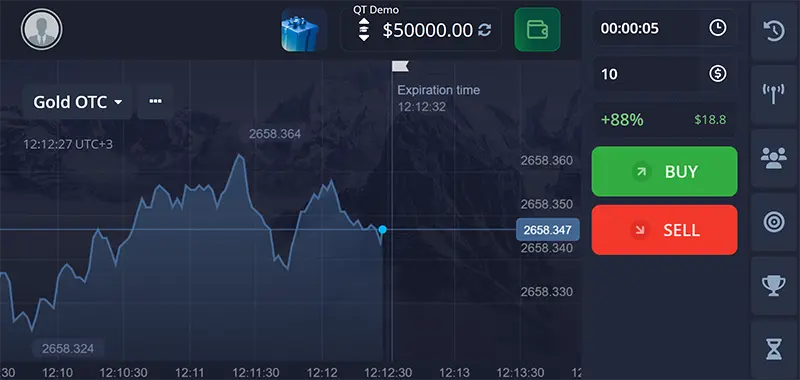
The Pocket Option interface is user-friendly and works across all devices, including mobile. Key features include:
- Trading Dashboard: View live charts, pick assets, and place trades.
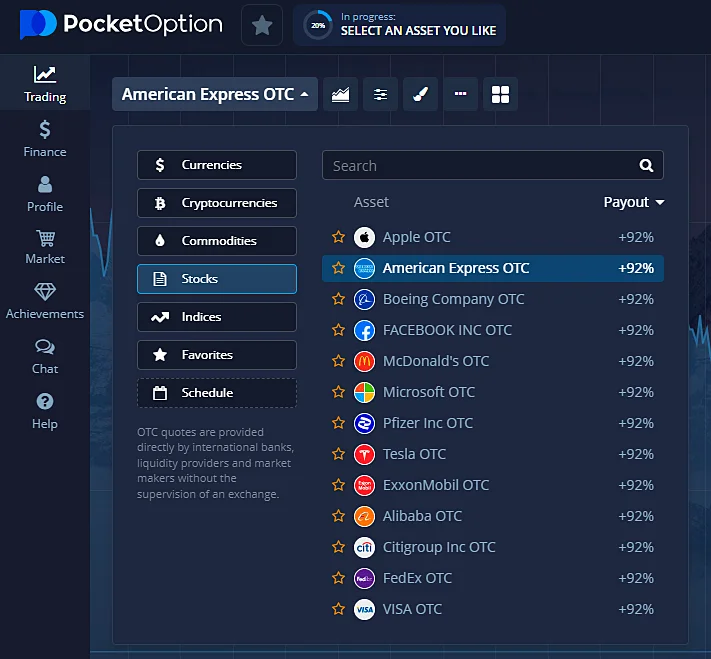
- Asset Selection: Trade currencies, commodities, stocks, and cryptocurrencies.
- Technical Tools: Use indicators like RSI, MACD, and Bollinger Bands for analysis.
- Account Overview: Monitor your virtual balance, open trades, and trading history.
- Customization Options: Adjust chart styles and time frames to fit your trading style.
Steps to Trade on the Demo Account
- Choose an Asset: Pick from a variety of options like currencies, stocks, or cryptocurrencies. Favorite your most-used assets for quicker access.
- Set Trade Amount: Use the “+” or “–” buttons to adjust your trade size or input the amount manually. Start with as little as $1.
- Pick Expiry Time: For digital options, choose a trade duration from 60 seconds to 4 hours. A line on the chart shows when the trade will end.
- Analyze the Market: Use indicators and chart tools to understand market trends.
- Place a Trade: Predict price movement by choosing “Call” (if you expect prices to rise) or “Put” (if you expect them to fall).
- Review Results: Track active trades in the “Trades” section and review your history to refine strategies.
Transitioning to a Live Account
When you’re ready to trade with real funds, follow these steps:
- Make a Deposit: Start with a minimum of $10.
- Verify Your Account: Submit the required ID and address documents.
- Manage Risk: Begin with small trades and stick to tested strategies.
Please note that the demo account will always be available to you. You can switch to it at any time to explore features or test trades with new assets.
Below, you can find a table that briefly outlines the differences between the demo and live accounts.
Demo Account vs. Real Account: Key Differences
| Feature | Demo Account | Real Account |
|---|---|---|
| Funds | $50,000 in virtual money | Real money (minimum deposit: $10) |
| Risk | No financial risk (virtual trading) | High risk (real funds are at stake) |
| Purpose | Practice, learn, and test strategies | Trade for actual profits |
| Verification Needed | Not required | Required (ID and proof of address) |
| Trading Tools | Full access to indicators and features | Full access to all platform tools, including AI Trading |
| Withdrawals | Not possible | Profits can be withdrawn |
| Access Period | Unlimited | As long as the account remains funded |
| Who It’s For | Beginners and strategy testing | Experienced or confident traders |
Demo Trading FAQ
Access to the demo account is unlimited — practice for as long as you like.
You can reset your balance back to $50,000 at any time.
No, virtual profits are for practice only and cannot be withdrawn.
No, you don’t need to verify your identity to use the demo account.
No, virtual funds are separate and cannot be transferred.
Pocket Option’s demo account is a great way to learn trading, test strategies, and explore the platform without risking real money. Get started now and build your confidence before moving to live trading.